Connecting Payment Details
Written By nodable
This guide will show how to connect the Payment Details on nodable trough Tipalti or PayPal
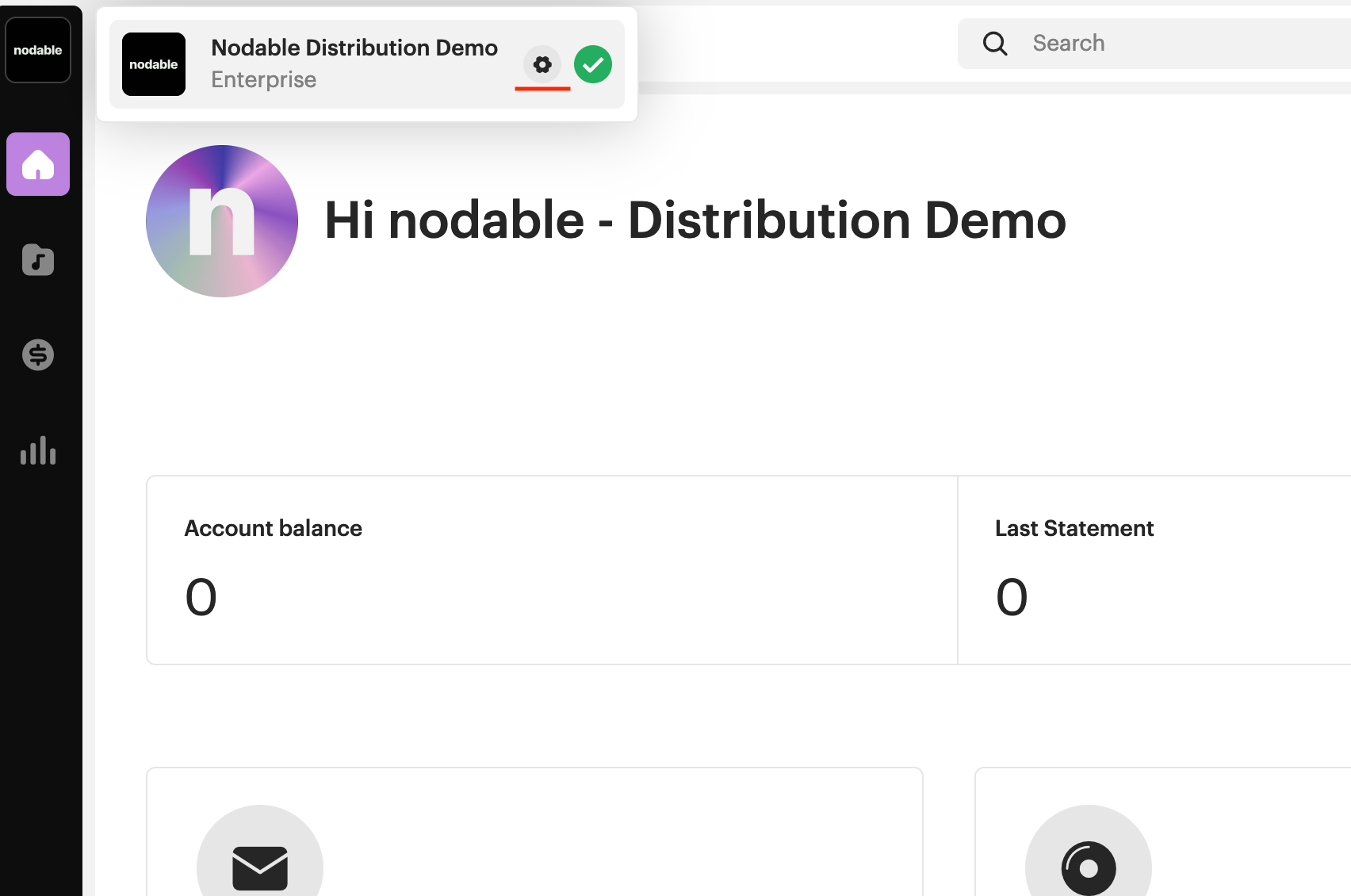
From your Nodable account, click on the Nodable logo on the top left. Then, click on the gear icon to access your Account Settings.
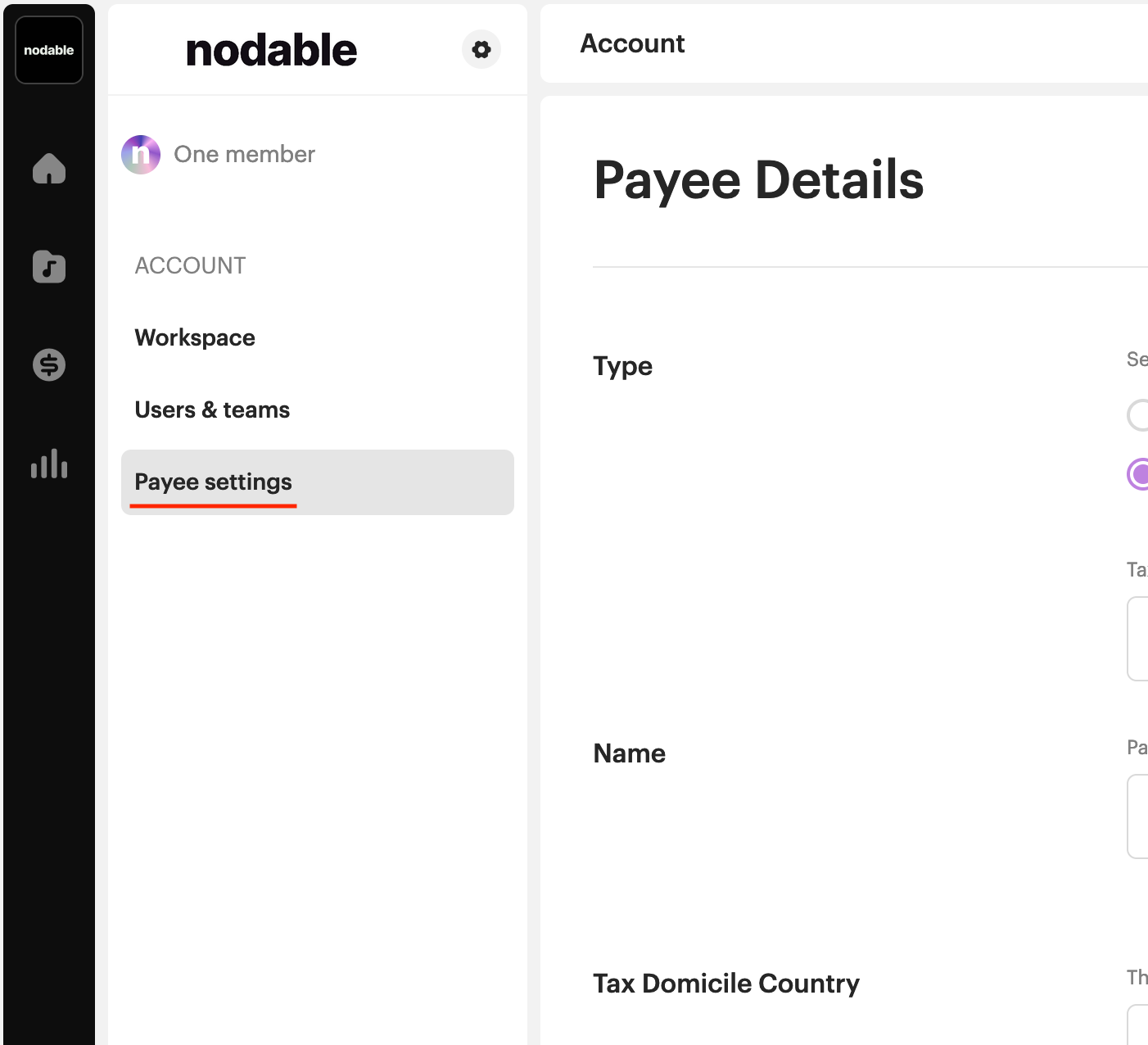
From the Account Settings page, click Payee Settings.
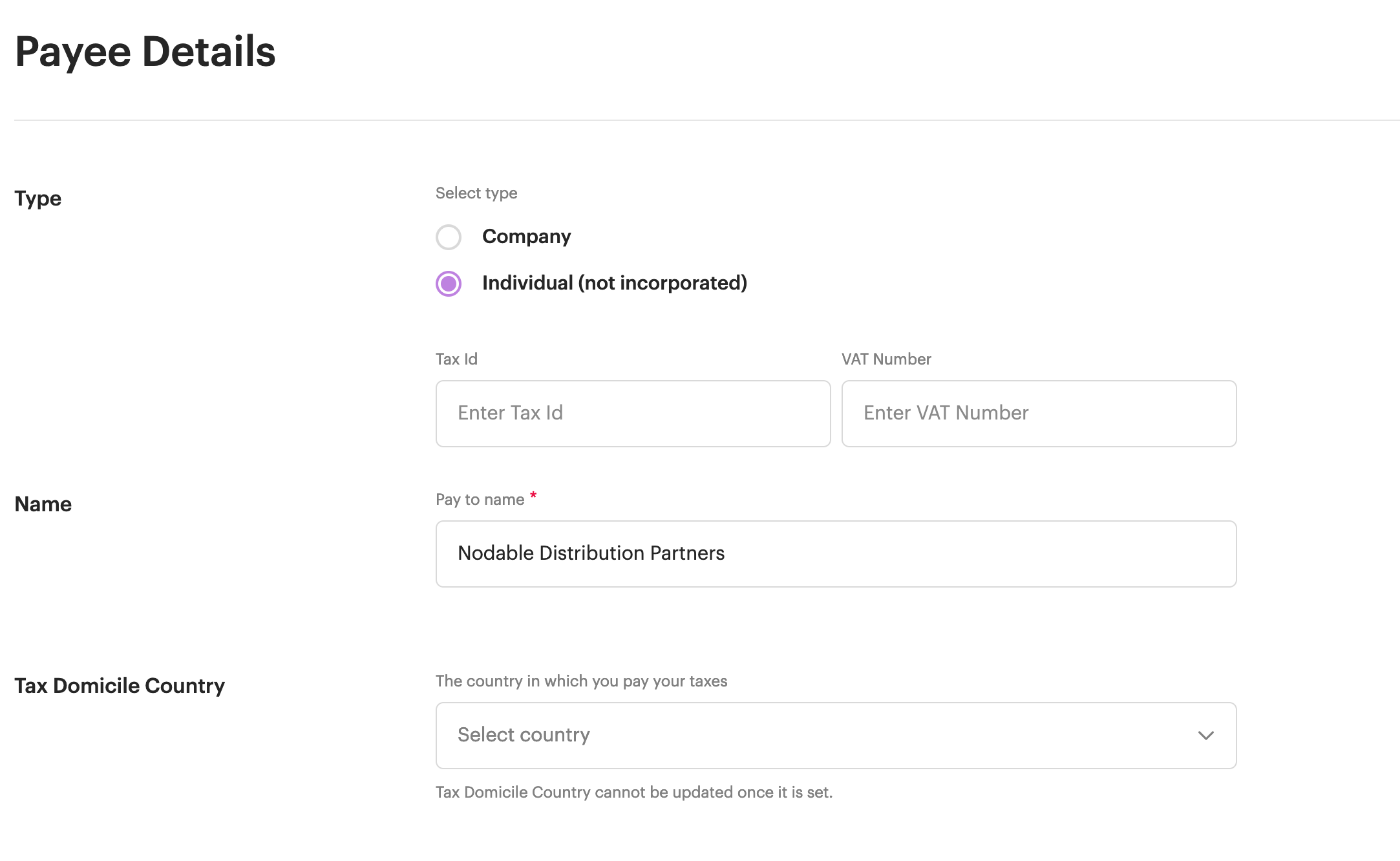
In the settings you need to setup your Payee Details.
When asked to choose a payment method, please select Tipalti.

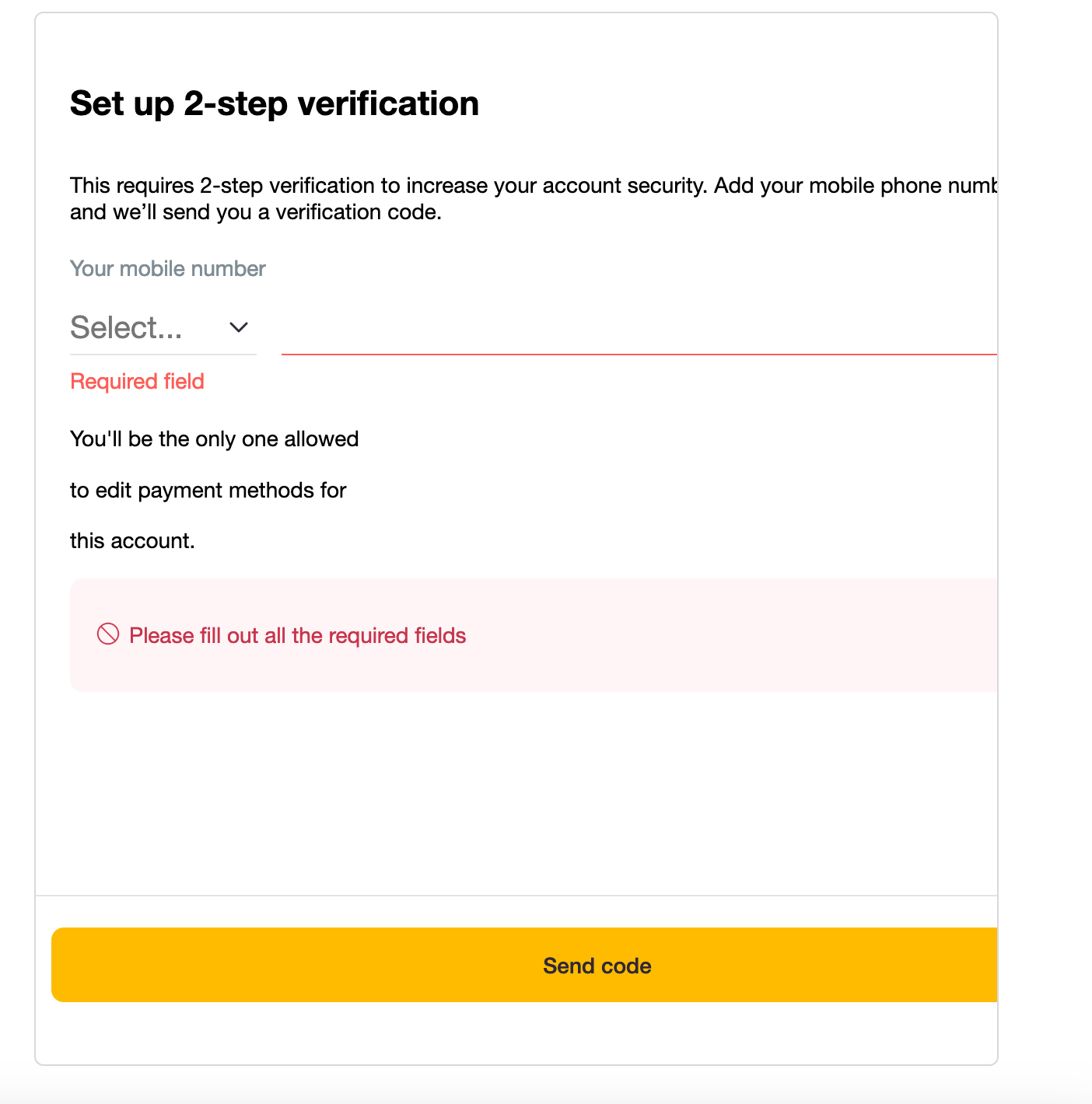
When you select Tipalti, a signup form will appear. Here, you can setup your 2 factors authentication, and then, insert your bank details or paypal details to receive monthly payments.
Finally, you can setup the email address where you want to receive statements notifications.

All good! You managed to setup your payment details on Nodable. Now, you can receive monthly payments.
Was this helpful?
Still need help? Share an idea